
Introduction
As video streaming continues to expand across businesses, educational institutions, broadcasters, hotels, and content creators, the demand for reliable video distribution solutions has never been higher.
One of the most important technologies behind modern IP video delivery is the HDMI IPTV encoder.
An HDMI IPTV encoder allows users to convert HDMI video signals into IP streams that can be distributed across local networks or delivered over the internet. Whether you’re building a digital signage network, broadcasting live events, or creating an IPTV system, understanding how HDMI IPTV encoders work is essential.
In this guide, we’ll explain everything you need to know about HDMI IPTV encoders, including how they work, common applications, setup requirements, and key features to consider before purchasing one.
Table of Contents
What Is an HDMI IPTV Encoder?
An HDMI IPTV encoder is a hardware device that converts HDMI video input into digital IP streams that can be transmitted over a network.
Instead of sending video directly through HDMI cables to individual displays, an IPTV encoder converts the signal into network-compatible formats that can be viewed by multiple devices simultaneously.
The encoder receives:
- HDMI video input
- HDMI audio input
And converts them into streaming formats such as:
- HLS
- RTMP
- RTP
- RTSP
- UDP
These streams can then be delivered to IPTV systems, media players, websites, mobile applications, and smart TVs.
How an HDMI IPTV Encoder Works
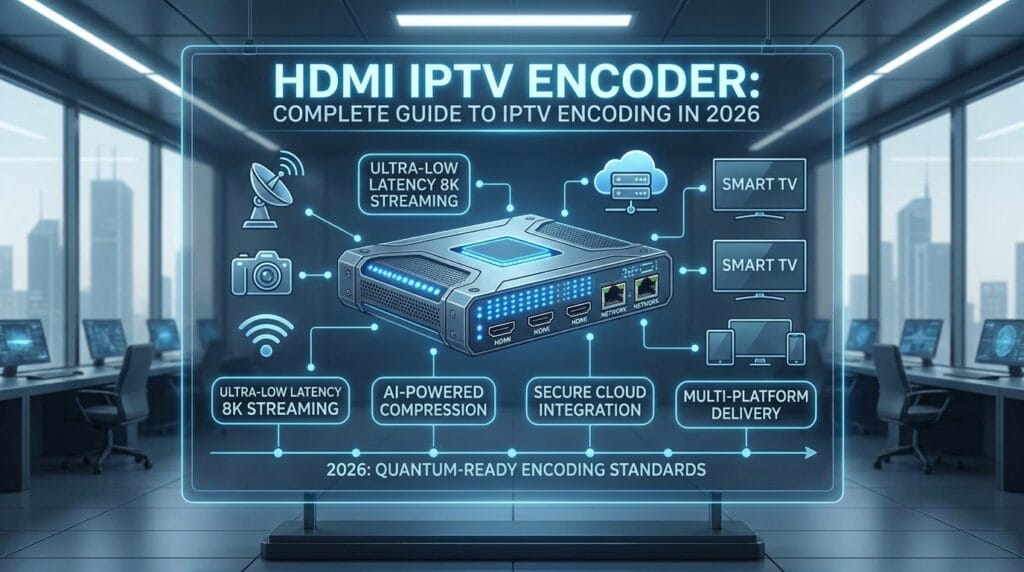
The encoding process typically follows these steps:
Step 1: Video Input
A video source is connected to the encoder.
Examples include:
- Cameras
- Satellite receivers
- TV boxes
- Computers
- Gaming consoles
- Media players
Step 2: Video Compression
The encoder compresses the incoming HDMI signal using codecs such as:
- H.264
- H.265 (HEVC)
Compression significantly reduces bandwidth requirements while maintaining image quality.
Step 3: Network Transmission
The encoded video is sent through an Ethernet connection.
The stream becomes available across the network using supported protocols.
Step 4: Playback
Users can access the stream through:
- IPTV platforms
- Smart TVs
- Mobile devices
- Web browsers
- Streaming applications
Why Businesses Use HDMI IPTV Encoders
Organizations often deploy IPTV encoders to distribute video efficiently.
Common benefits include:
Centralized Distribution
One source can reach multiple screens simultaneously.
Reduced Cabling
IP networks eliminate the need for long HDMI cable runs.
Scalability
New displays can be added without rebuilding infrastructure.
Remote Access
Streams can be viewed from different locations.
Cost Efficiency
Network distribution is often more flexible than traditional AV systems.
HDMI vs SDI IPTV Encoders
When choosing an encoder, many users compare HDMI and SDI solutions.
HDMI IPTV Encoder
Advantages:
- Affordable
- Easy to deploy
- Compatible with consumer devices
- Widely available
Best for:
- Small businesses
- Educational institutions
- Digital signage
- Content creators
SDI IPTV Encoder
Advantages:
- Professional broadcast quality
- Longer cable distances
- More reliable signal transmission
Best for:
- Television stations
- Professional production environments
- Large-scale broadcasting
H.264 vs H.265 Encoding
Most IPTV encoders support one or both of these codecs.
H.264
Advantages:
- Wide compatibility
- Lower hardware requirements
- Supported by most devices
Disadvantages:
- Higher bandwidth usage
H.265 (HEVC)
Advantages:
- Better compression efficiency
- Reduced bandwidth consumption
- Improved 4K performance
Disadvantages:
- Higher processing requirements
- Limited support on older devices
Multicast vs Unicast Streaming
IPTV systems generally use two delivery methods.
Unicast
Each viewer receives a separate stream.
Advantages:
- Easy deployment
- Compatible with most networks
Disadvantages:
- Increased bandwidth consumption
Multicast
A single stream serves multiple viewers simultaneously.
Advantages:
- Lower bandwidth usage
- Ideal for large deployments
Disadvantages:
- Requires network configuration
How to Set Up an HDMI IPTV Encoder
A basic setup typically involves:
Hardware Required
- HDMI IPTV encoder
- HDMI source
- Ethernet connection
- Network switch
- Streaming platform
Installation Process
- Connect the HDMI source.
- Connect Ethernet to the network.
- Access the encoder management interface.
- Configure encoding settings.
- Select streaming protocol.
- Save configuration.
- Test playback on client devices.
Most modern encoders include web-based management panels for configuration.
Common Applications
HDMI IPTV encoders are used in many industries.
Hotels
Deliver television channels to guest rooms.
Educational Institutions
Broadcast lectures and presentations.
Corporate Offices
Distribute internal communications.
Sports Venues
Display live events across multiple screens.
Houses of Worship
Stream services to remote audiences.
Digital Signage Networks
Distribute advertising and informational content.
How to Choose the Right HDMI IPTV Encoder
Consider the following factors.
Video Resolution
Choose an encoder that supports:
- 1080p
- 4K UHD
depending on your requirements.
Codec Support
Look for:
- H.264
- H.265
support.
Streaming Protocols
Verify compatibility with:
- RTMP
- HLS
- RTSP
- RTP
- UDP
Network Requirements
Consider expected viewer volume.
Reliability
Choose equipment from reputable manufacturers with firmware updates and technical support.
Common Problems and Solutions
Stream Not Loading
Possible causes:
- Incorrect network settings
- Firewall restrictions
- Invalid streaming URL
High Latency
Possible causes:
- Network congestion
- Encoder configuration
Poor Video Quality
Possible causes:
- Insufficient bitrate
- Incorrect resolution settings
Audio Synchronization Issues
Possible causes:
- Encoding delays
- Device compatibility problems
Regular firmware updates often help resolve these issues.
Frequently Asked Questions
What is an HDMI IPTV encoder?
An HDMI IPTV encoder converts HDMI video signals into IP-based streams that can be distributed across networks.
Can I stream HDMI over a local network?
Yes. IPTV encoders are specifically designed for this purpose.
What’s the difference between HDMI and SDI encoders?
HDMI is common in consumer and commercial environments, while SDI is typically used in professional broadcast applications.
Which codec is better?
H.264 offers broad compatibility, while H.265 provides greater compression efficiency.
Can an IPTV encoder support 4K?
Many modern encoders support 4K UHD streaming.
Is multicast better than unicast?
For large deployments, multicast is generally more bandwidth-efficient.
Conclusion
An HDMI IPTV encoder is one of the most important components in modern video distribution systems. By converting HDMI signals into network streams, these devices make it possible to deliver video content efficiently across buildings, campuses, businesses, and online platforms.
Whether you’re deploying a small digital signage solution or building a large IPTV network, understanding encoding technologies, streaming protocols, and network requirements will help you choose the right solution and achieve better streaming performance.
As IPTV and IP video technologies continue to evolve, HDMI IPTV encoders will remain a critical tool for reliable and scalable video delivery.